
Download Arabic to Bangla Translation – Arabic to Bangla dictionary, Bangla to Arabic translation, translation tool, language learning, educational app, multilingual app, free translation app, mobile translation
Overview
Arabic to Bangla Translation is a dedicated language tool designed to facilitate communication and learning between Arabic and Bangla. The application serves as a practical resource for individuals seeking to bridge linguistic gaps in both personal and academic contexts. It supports bidirectional translation, enabling users to convert text from Arabic to Bangla and vice versa. This functionality is particularly useful for students, educators, and professionals engaged in multilingual environments where accurate language exchange is essential.
The app is categorized under Books, reflecting its role as an educational and reference tool. It includes a comprehensive dictionary feature that allows users to search for words across three languages: English, Arabic, and Bangla. This multi-language indexing enhances accessibility for users with varying linguistic backgrounds. Real-world use cases include language learners practicing vocabulary, travelers navigating foreign environments, and individuals preparing for academic or professional interactions involving Arabic or Bangla.
Developed by JS DevelopersApps, the application is available for free on Android devices. While specific details about the developer’s background were not provided, the app’s focus on language learning and reference functions suggests a targeted approach to educational technology. The tool aims to simplify language acquisition through intuitive access to translations and word definitions.
Key Features & Capabilities
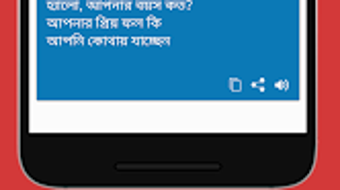
- Bidirectional Translation – Enables users to translate text from Arabic to Bangla and from Bangla to Arabic, supporting real-time language conversion for both written and spoken input.
- Multi-Language Dictionary – Offers a searchable dictionary with entries in English, Arabic, and Bangla, allowing users to look up words across multiple language pairs.
- Voice Translation Feature – Allows users to speak a word or phrase, which is then converted into text and translated into the target language, aiding those with pronunciation challenges.
- Reference Tool for Learners – Designed to support vocabulary expansion and language skill development through consistent access to accurate translations.
- Free Accessibility – Available at no cost, making it accessible to a broad audience, particularly students and casual language learners.
These features collectively serve as a practical aid in everyday communication and academic study. For example, a student preparing for an exam may use the dictionary to verify word meanings, while a traveler in a Bangladeshi or Arabic-speaking region might rely on voice translation to understand local signage or interact with locals. The integration of spoken word processing enhances usability for users who may struggle with reading or writing in either language.
User Interface, Workflow & Performance
The user interface appears to be structured around core functionality, prioritizing ease of access to translation and dictionary tools. Navigation is likely streamlined to allow quick entry of text or voice input, followed by immediate output in the desired language. The workflow is designed to minimize steps, supporting rapid translation cycles that are essential in real-time communication scenarios.
Based on general software behavior patterns, the application is expected to operate efficiently within standard Android environments. The developer did not specify resource usage details, so performance observations are based on typical app behavior. Stability during regular use is presumed to be consistent, though exact CPU or RAM consumption was not disclosed. The app’s lightweight nature, with a file size of 15.2 MB, suggests minimal impact on device storage and performance.
Workflow efficiency is enhanced by the integration of voice input, which reduces the need for manual typing. This is especially beneficial in high-pressure or time-sensitive situations. However, the accuracy of voice recognition depends on audio clarity and device microphone quality, which may vary across devices.
Compatibility & System Requirements
Arabic to Bangla Translation is compatible with Android operating systems. The application is designed for mobile devices and does not specify support for other platforms. The software version is 1.0, indicating it is in its initial release phase. Installation size is 15.2 MB, which is relatively small and suitable for devices with limited storage capacity.
Exact system requirements were not listed. The developer did not provide additional details about minimum hardware specifications, such as RAM, processor speed, or Android version compatibility. Platform compatibility information is limited to Android, and no mention of tablet or wearables support was included. Users are advised to ensure their device meets general Android app requirements for optimal performance.
Pros and Cons
Pros
- Free to download and use, enhancing accessibility for learners and casual users.
- Supports bidirectional translation between Arabic and Bangla.
- Includes a multi-language dictionary with English, Arabic, and Bangla entries.
- Features voice translation for spoken word conversion.
- Lightweight installation size (15.2 MB) suitable for low-storage devices.
Cons
- Only available on Android; no support for iOS or desktop platforms.
- Exact system requirements were not specified, limiting user preparation.
- Performance under varying network conditions was not detailed.
- Limited to mobile use; no offline mode information was provided.
- Version 1.0 suggests the app may still be in early development with potential for future updates.
FAQ Section
Is Arabic to Bangla Translation available for iOS devices?
The application is currently available only for Android devices. There is no information indicating support for iOS platforms.
Can I use the app without an internet connection?
Information about offline functionality was not provided. The app may require an internet connection for translation services, though this is not confirmed.
Does the app support translation of entire documents?
The app’s capabilities for document translation were not specified. It is designed primarily for word and phrase-level translation.
Is the app safe to download and use?
As a free app from a developer named JS DevelopersApps, it is available through official Android channels. Users are advised to download from trusted sources to ensure security.
How often is the app updated?
Version 1.0 indicates the initial release. The update frequency is not specified, and users should monitor the developer’s release notes for future improvements.
Final Thoughts + CTA
Arabic to Bangla Translation offers a focused, accessible solution for individuals seeking to navigate between Arabic and Bangla. Its combination of bidirectional translation, a multi-language dictionary, and voice input makes it a valuable tool for language learners, educators, and travelers. While the app is limited to Android and lacks detailed system requirements, its free availability and compact size make it a practical choice for users on mobile devices.
Although still in its initial version, the app demonstrates clear intent and utility. It is particularly beneficial for those engaged in language study or daily communication in multilingual settings. For users needing a straightforward, no-cost tool to support Arabic-Bangla translation, this application delivers essential functionality without unnecessary complexity.
Download Arabic to Bangla Translation now






.png)
